




Choosing the best WordPress payment gateway is one of the most important decisions for your online business. The right payment gateway affects everything from checkout speed and customer trust to conversion rates and long-term revenue.
As global digital payment transactions are projected to exceed $20 trillion in 2026, offering secure, fast, and flexible payment options is no longer optional.
Whether you sell digital products, collect donations, offer subscriptions, provide professional services, or accept one-time payments through WordPress forms, selecting the right payment gateway provider helps create a seamless payment experience and supports business growth.
In this article, we’ll compare the best WordPress payment gateways based on features, pricing, security, payment methods, and ease of integration.
What Is a WordPress Payment Gateway and Why Is It Important?
A WordPress payment gateway is a secure payment solution that allows your website to accept online payments. It encrypts customer payment information, verifies the transaction, and securely transfers payment data between your website, the customer’s bank, and the payment provider. Whether you sell physical products, digital downloads, subscriptions, or services, a reliable payment gateway helps you deliver fast, secure, and hassle-free checkout experiences.
A WordPress payment gateway lets you accept a wide range of payment methods, including:
- Credit and debit cards
- Bank transfers (ACH, SEPA)
- Digital wallets like Apple Pay and Google Pay
- Buy Now Pay Later (BNPL) solutions
- Online payment services like Stripe and PayPal
Many people use the terms payment gateway and payment processor interchangeably, but they perform different roles. A payment gateway securely collects and encrypts payment information during checkout, while a payment processor communicates with banks and card networks to authorize the transaction and transfer funds. Today, many providers, including Stripe and Square, combine both services into a single platform, making it easier for businesses to accept payments online.
For WordPress websites, payment gateways typically integrate through a WordPress payment form plugin. Once connected, you can securely accept one-time payments, recurring payments, donations, service fees, event registrations, and other online payments directly from your website without handling sensitive card information yourself.
How Does a WordPress Payment Gateway Work?
When a customer places an order, the payment gateway handles the payment process behind the scenes.
The payment flow is simple:
- Customer enters payment details
- Data is encrypted using SSL/TLS
- Payment request is sent to the payment processor
- Issuing bank approves or declines
- Funds are captured and settled into the merchant account
This happens within seconds and ensures that sensitive payment information is protected during the transaction.
Why It Is Important for Your Website
A reliable WordPress payment gateway helps you:
- Accept secure online payments from anywhere
- Collect one-time and recurring payments
- Accept online donations and fundraising contributions
- Offer multiple payment methods
- Build customer trust with secure checkout
- Reach customers in different countries and currencies
If the payment process feels slow, confusing, or untrustworthy, customers are more likely to leave without completing the purchase.
That is why choosing the right WordPress payment gateway plugin is important for both user experience and sales performance.
Factors to Consider Before Choosing a Payment Gateway

Your choice of the best WordPress payment gateways depends on how your business operates, who your customers are, and how you want the checkout experience to feel.
You should take an extensive look at these key factors.
Security and Fraud Protection
Security should be your top priority. Choose a PCI-DSS compliant payment gateway that supports tokenization, encryption, and advanced fraud detection to prevent chargebacks and unauthorized transactions.
Transaction Fees and Hidden Costs
Pricing can vary significantly from one provider to another. Low transaction rates may look attractive at first, but hidden costs can reduce your profit margins over time. Always compare the full pricing structure before deciding.
Multi-Currency Support
If your website serves customers in different countries, multi-currency support becomes essential. Customers are more likely to complete a purchase when they can pay in their local currency. A good gateway should support multiple currencies and automatic currency conversion. This is especially important for businesses serving international customers, nonprofits accepting global donations, digital creators, and service providers working with clients worldwide.
Ease of Integration with WordPress
Your payment gateway should integrate easily with your WordPress website. Whether you use payment forms, donation forms, booking forms, or membership forms, a simple integration saves time and reduces setup errors.
Customer Support and Reliability
Reliable support is often overlooked until something goes wrong. Payment issues can directly affect sales, so fast support matters. A dependable gateway ensures your customers can complete payments without interruptions.
User Experience and Checkout Flow
The checkout experience directly impacts conversions. A clean, fast, and simple checkout process helps reduce cart abandonment. The easier it is for customers to pay, the higher your chances of completing the sale.
List of Six Best WordPress Payment Gateways for Accepting Online Payments
Every successful WordPress website that accepts online payments depends on a payment gateway that is secure, reliable, and easy to use. Whether you’re collecting donations, selling digital products, charging for services, accepting event registrations, or running a membership website, the right payment gateway makes payments faster and more convenient for your visitors.
#1 Square

Square, with over 4 million businesses worldwide, is one of the best WordPress payment gateways for businesses that operate both physical and online stores.
It is especially strong for retailers because it combines in-store POS with online checkout systems. Square is especially valuable for businesses that accept payments both online and in person. It supports payment forms, invoices, donations, appointments, and in-person transactions through a single platform.
For example, Square’s standard online processing fee is generally 2.9% + $0.30 per transaction, making it highly competitive among low-transaction-fee payment gateways for SMEs.
This makes Square one of the strongest WordPress payment gateways for businesses focused on omnichannel retail.
Key Features:
- Easy WordPress payment form integration: Automatically syncs products, stock, and order data between online and physical stores.
- Online payment forms and in-person payments: Unified ecosystem for retail and eCommerce.
- Fast checkout flows: Mobile-optimized conversion paths.
- Fraud protection tools: Help reduce chargebacks.
- Contactless payments: Supports wallets and tap payments.
Pricing:
Square typically charges 2.9% + $0.30 per online transaction. No major upfront setup costs make it attractive for smaller businesses looking for online payment solutions for WordPress.
Best for:
Square is best for freelancers, agencies, nonprofits, local businesses, service providers, and organizations that accept both online and in-person payments.
#2 Stripe

Stripe stands out as one of the most developer-friendly WordPress payment gateways, offering powerful APIs, flexible checkout customization, and advanced subscription billing tools.
However, Stripe may require technical setup for custom implementations, which can be challenging for non-technical users without a plugin or middleware.
Stripe is used by over 4 million websites globally, with 1.29 million active websites as of 2025. It supports over 135 currencies, making it a premium multi-currency WordPress payment gateway.
For recurring billing businesses, Stripe is often the first choice.
Key Features:
- Advanced API infrastructure: Best-in-class for developers.
- Recurring payments support: Excellent recurring payments WordPress plugin compatibility.
- Subscription billing: Perfect for SaaS.
- 135+ currencies: Global checkout support.
- AI fraud detection: Stripe Radar.
- Apple Pay + Google Pay: Faster checkout.
- Custom checkout flows: Highly flexible UX control.
Pricing:
Stripe generally starts at 2.9% + $0.30 for domestic transactions. International and currency conversion fees may apply.
Best for:
Best for subscription websites, memberships, online services, nonprofits, creators, and businesses accepting payments through WordPress forms.
#3 PayPal

PayPal’s biggest advantage is its global brand trust and high checkout recognition, which can significantly improve conversion rates, especially for new businesses, nonprofits, and websites collecting online payments.
With 439 million active users worldwide, many feel more comfortable paying through a PayPal rather than manually entering card details on a checkout page.
However, its redirection-based checkout flow may slightly reduce UX control compared to fully embedded gateways like Stripe.
Key Features:
- One-click checkout: Enables faster payments and reduces checkout friction for returning users.
- Global trust factor: A globally recognized brand.
- Wallet and card support: Accepts PayPal balance, linked bank accounts, and major debit/credit cards.
- Buyer protection: Adds an extra layer of trust for customers.
- Express checkout: Quick checkout experience that reduces abandoned carts.
- Subscription support: Supports recurring billing.
Pricing:
PayPal typically charges around 2.99% + a fixed transaction fee, though rates may vary depending on country, currency, and payment method. For international transactions, additional currency conversion fees may apply.
Best for:
PayPal is one of the best WordPress payment gateways for small businesses because it offers quick setup, strong brand recognition, and broad customer trust.
#4 Authorize.Net
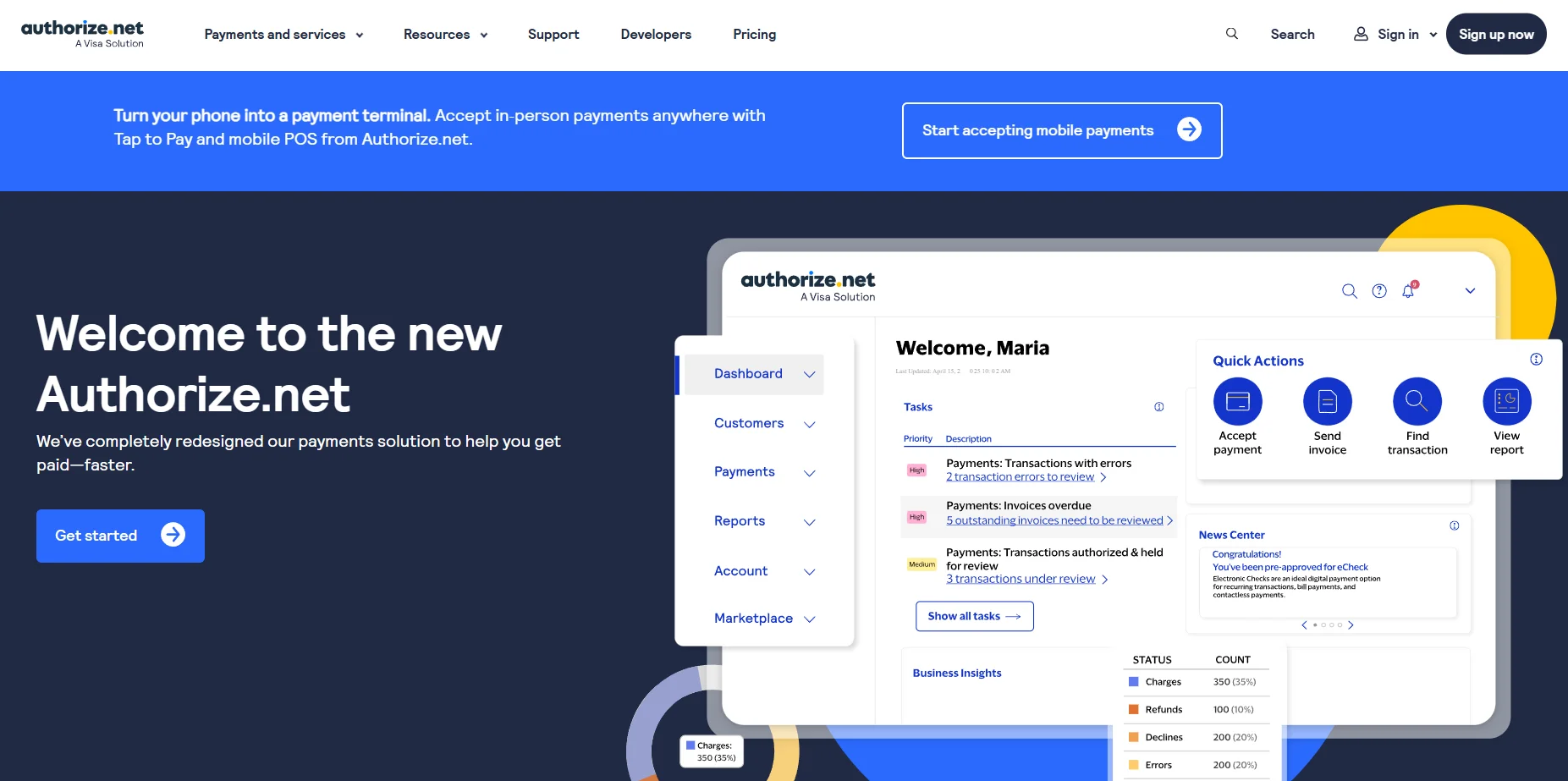
Authorize.Net is a long-established name in the payment processing industry for businesses that need advanced fraud control and enterprise-level reliability. For companies processing high transaction volumes, it offers a strong, reliable infrastructure and extensive security features that help protect both merchants and customers.
Authorize.Net serves over 430,000 merchants worldwide, making it one of the most established gateways.
Key Features:
- Enterprise-grade fraud tools: Includes advanced fraud detection filters, transaction monitoring, and risk scoring.
- Recurring billing support: Ideal for subscription-based businesses.
- Virtual terminal: Allows merchants to process payments over offline channels.
- Reliable uptime: Built for stable payment processing environments.
- Merchant account compatibility: Works well with traditional merchant accounts and business banking systems.
Pricing:
Authorize.Net generally includes a monthly gateway subscription fee along with per-transaction charges, which may vary depending on your merchant setup and payment volume.
Best for:
Established enterprises, agencies, organizations processing high payment volumes, membership platforms, nonprofits, and other established businesses.
#5 Braintree (PayPal) Enterprise Payments)
Braintree is a flexible WordPress payment gateway for businesses focused on mobile commerce, apps, and modern digital payment experiences. Braintree, as part of PayPal, supports tens of thousands of businesses globally.
Owned by PayPal, Braintree combines multiple payment methods into a single platform, making it a go-to choice for WordPress websites. It is especially valuable for businesses that want to offer customers multiple wallet and card options without using separate integrations.
Key Features:
- Wallet ecosystem support: Accepts PayPal, Venmo, Apple Pay, and major cards.
- Developer-friendly APIs: Excellent for custom checkout and advanced integrations.
- Subscription billing: Strong support for recurring payments and SaaS models.
- PayPal integration: Native PayPal ecosystem compatibility.
- Mobile app compatibility: Optimized for app-based payments.
Pricing:
Braintree typically charges around 2.59% + $0.49 per transaction, though rates may vary by region and transaction type.
Best for:
Best for mobile-first businesses, membership websites, subscription businesses, nonprofits, digital services, and businesses that want to offer multiple payment methods.
#6 2Checkout (Verifone)

2Checkout, now part of Verifone, is one of the best payment gateways for eCommerce websites that supports over 17,000 merchants worldwide and sells globally.
Its biggest strength lies in international commerce. Businesses selling software, memberships, online services, and digital downloads benefit from its strong support for cross-border transactions, multiple currencies, and recurring billing.
This makes it particularly useful for businesses selling digital products, software, memberships, subscriptions, online courses, and services worldwide.
Key Features:
- Global payments coverage: Supports transactions across multiple countries.
- Subscription billing: Excellent recurring payment support.
- Multi-currency checkout: Strong multi-currency payment functionality.
- Tax and compliance support: Helpful for international VAT and sales tax requirements.
- International fraud control: Built-in fraud monitoring for cross-border sales.
Pricing:
2Checkout pricing is generally higher than Stripe or Square, but the additional cost is often justified for businesses focused on international growth and subscription billing.
Best for:
Best for global SaaS companies, digital product sellers, online course platforms, and businesses with international customer bases.
Stripe vs PayPal vs Square: Quick Comparison
Choosing between Stripe, PayPal, and Square depends on your business model, technical needs, and customer preferences. Here’s a side-by-side comparison to help you quickly identify the best WordPress payment gateway for your website.
| Feature | Stripe | PayPal | Square |
| Transaction Fees | 2.9% + $0.30 (standard) | ~2.99% + fixed fee | 2.9% + $0.30 |
| Best Use Case | Memberships, subscriptions, WordPress payment forms | Small businesses, donations, service payments | Online and in-person payments |
| Checkout Experience | Fully customizable, on-site checkout | Redirect + express checkout | Embedded + POS integration |
| Multi-Currency Support | 135+ currencies | 25+ currencies | Limited compared to Stripe |
| Recurring Payments | Advanced subscription billing | Supported | Limited compared to Stripe |
| Ease of Setup | Moderate (plugins simplify setup) | Very easy | Easy |
| Mobile & Wallet Support | Apple Pay, Google Pay | PayPal Wallet, cards | Apple Pay, Google Pay |
| Best For | Developers, scaling businesses | Beginners, quick setup | Retail stores, local businesses |
Implementation Tips for WordPress Payment Gateways
Setting up a payment gateway in WordPress is straightforward, but configuring it correctly helps you avoid payment failures, security issues, and poor payment experiences.
- Install the Payment Gateway Plugin: This connects your store to secure online payment processing.
- Connect Your Payment Account: Link your Stripe, PayPal, or Square account using API keys or secure login. This enables your website to start accepting real payments safely.
- Configure Payment Form Settings: Set your currency, payment methods, and other preferences inside your WordPress payment form plugin. This ensures customers can complete payments quickly and securely.
- Test Before Going Live: Run transactions in sandbox mode before accepting real payments. This helps you catch errors in payment flow, emails, or order confirmations.
- Keep Everything Updated: Regularly update WordPress, your theme, and payment plugins. Updates help maintain security, fix bugs, and improve compatibility.
💡Pro Tip: If you want a simplified way to accept Square payments in WordPress without building a complete eCommerce website, WP Easy Pay provides a lightweight WordPress payment form solution.
Start Accepting Payments with WP Easy Pay
The best WordPress payment gateway is the one that matches your business goals, budget, and customer expectations. Whether you need global payment support, recurring billing, multi-currency transactions, or seamless in-store and online payment processing, choosing the right gateway helps create a faster and more convenient payment experience, increase conversions, and build long-term customer trust.
Stripe is an excellent choice for subscriptions and international businesses, while PayPal offers broad customer recognition and a quick setup. If you sell both online and in person, Square stands out with its unified payment and POS ecosystem.
If you decide to use Square, WP Easy Pay makes it simple to accept secure payments on your WordPress website. You can create customizable payment forms, accept one-time or recurring payments, support Apple Pay, Google Pay, Cash App Pay, and ACH bank transfers, and embed secure payment forms on any page or post—all without the complexity of a complex shopping cart system.
Frequently Asked Questions
Can I use more than one payment gateway on my WordPress website?
Yes, WordPress allows multiple payment gateways at the same time. Most stores combine Stripe and PayPal to offer customers more payment flexibility.
What is the safest payment gateway for WordPress?
The safest WordPress payment gateways are those that follow PCI-DSS compliance and use strong security measures like encryption, tokenization, and real-time fraud detection. Stripe, PayPal, and Authorize.Net are widely trusted because they protect sensitive card data and reduce the risk of fraud and chargebacks. You should also make sure your website uses SSL to secure all payment transactions.
Which payment gateway has the lowest transaction fees for WordPress?
Fees vary by provider and region. Stripe and PayPal typically charge similar standard transaction fees, so the “lowest cost” depends on your location and payment volume.
Which payment gateway supports recurring payments in WordPress?
Stripe is one of the best payment gateways for recurring payments in WordPress. It supports subscription billing, automated payments, and flexible pricing models, making it ideal for SaaS, memberships, and subscription-based websites. PayPal and Braintree also support recurring payments, but Stripe offers more control and customization for managing subscriptions.
Do I need a merchant account for WordPress payments?
No, you don’t always need a separate merchant account. Payment gateways like Stripe, PayPal, and Square provide built-in merchant accounts, so you can start accepting payments quickly. However, some providers like Authorize.Net may require you to connect an external merchant account, especially for high-volume or enterprise-level businesses.
What is the difference between a payment gateway and a payment processor?
A payment gateway securely collects and encrypts customer payment information during checkout, while a payment processor communicates with banks and card networks to authorize and complete the transaction. Many providers, including Stripe and Square, combine both services into one platform.
Can I accept donations with a WordPress payment gateway?
Yes. Many WordPress payment gateways support online donations through customizable payment forms. You can create one-time or recurring donation forms and allow donors to pay using credit cards, digital wallets, ACH bank transfers, and other supported payment methods.
Which payment gateway is best for WordPress payment forms?
If you want to collect payments through WordPress forms, the best payment gateway depends on your needs. Square works well for service businesses, local businesses, and nonprofits. Stripe is ideal for subscriptions and recurring payments, while PayPal offers trusted, fast payments with minimal setup.
Can I accept international payments in WordPress?
Yes. Most major payment gateways, including Stripe, PayPal, Square, Braintree, and 2Checkout, support international payments. Before choosing a provider, confirm that it supports your target countries, currencies, and preferred local payment methods.