
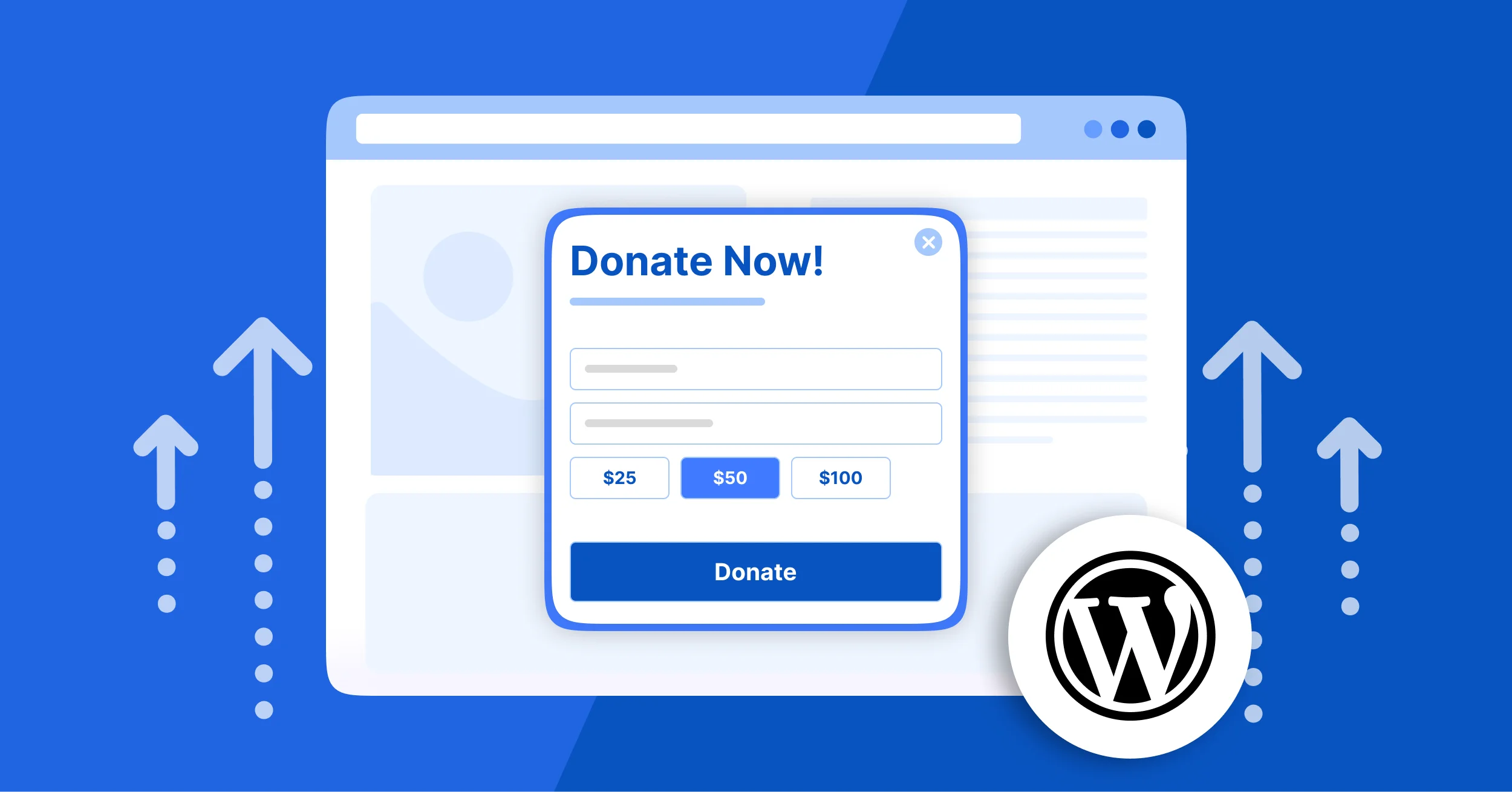


Getting online donations is one of the hardest parts of running a fundraising campaign. A visitor may land on your WordPress site, browse your pages, and even open your donation form, yet leave without completing a donation.
That’s where WordPress donation popups come in. A well-timed, well-designed popup puts your donation form right in front of the visitor when they’re most likely to donate. It creates urgency by presenting your donation form at the exact moment visitors feel most ready to contribute, while still preserving a smooth browsing experience when implemented correctly.
In this guide, you’ll learn what WordPress donation popups are, how to implement them, and which strategies improve donation conversions when paired with a WordPress donation and payment plugin like WP Easy Pay.
Ready? Let’s get started!
What Are WordPress Donation Popups?
A WordPress donation popup is a focused overlay that appears on top of your website content and prompts visitors to donate or take action. When visitors see it, they no longer need to search for a “Donate” button because the call-to-action appears instantly in front of them.
There are two types of popups: simple popups and targeted popups. Nonprofits commonly use these popups as part of their fundraising funnel optimization and donor engagement strategy.
- Simple popups show the same message to every visitor.
- Targeted popups change based on behavior and are often used for advanced donor engagement WordPress strategies.
High-performing nonprofit websites often follow tested fundraising popup patterns that focus on clarity, timing, and emotional messaging.
Why These Donation Popup Strategies Work
Donation popups don’t increase conversions by chance. They work because they align with how visitors naturally think and behave on a nonprofit website.
Donor Psychology
Most visitors don’t decide to donate immediately. They browse, evaluate trust, and look for emotional connection. Donation popups help reduce friction by presenting the right message at the right moment, instead of waiting for users to find it themselves.
Decision Fatigue
When visitors see too many choices—different pages, links, and CTAs—they often delay action. This is known as decision fatigue. Donation popups simplify the decision by focusing attention on a single action: donating.
Urgency Bias
People are more likely to act when they feel a time-sensitive reason. Popups that highlight urgency, such as matching donations or limited-time campaigns, help trigger faster decisions.
Emotional Triggers in Fundraising
Effective donation popups connect with emotion, not logic alone. Messages tied to real impact, such as helping children, disaster relief, or community support, significantly improve engagement because they create emotional relevance at the moment of decision.
How to Set Up Donation Popups in WordPress
Before adding popups to your WordPress website, make sure you already have a donation or payment form ready. Your popup will act as the entry point, guiding visitors directly to your donation process and making it easier for them to contribute.
Step 1: Install WP Easy Pay and Activate Popup Maker
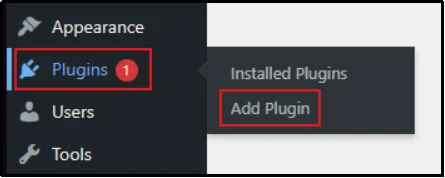
- Log in to your WordPress dashboard, and go to Plugins → Add Plugin.
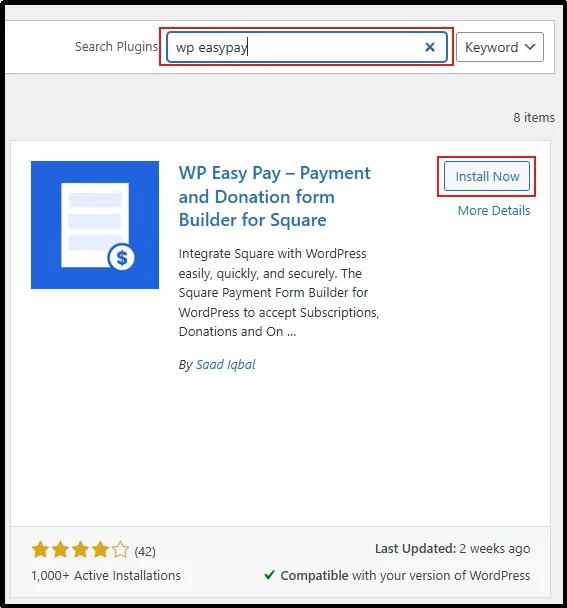
- Type WP Easy Pay in the search bar on the right.
- Click Install Now for WP Easy Pay, then activate the plugin once installation completes.
- Similarly, head back to Add Plugins and type Popup Maker in the search bar.
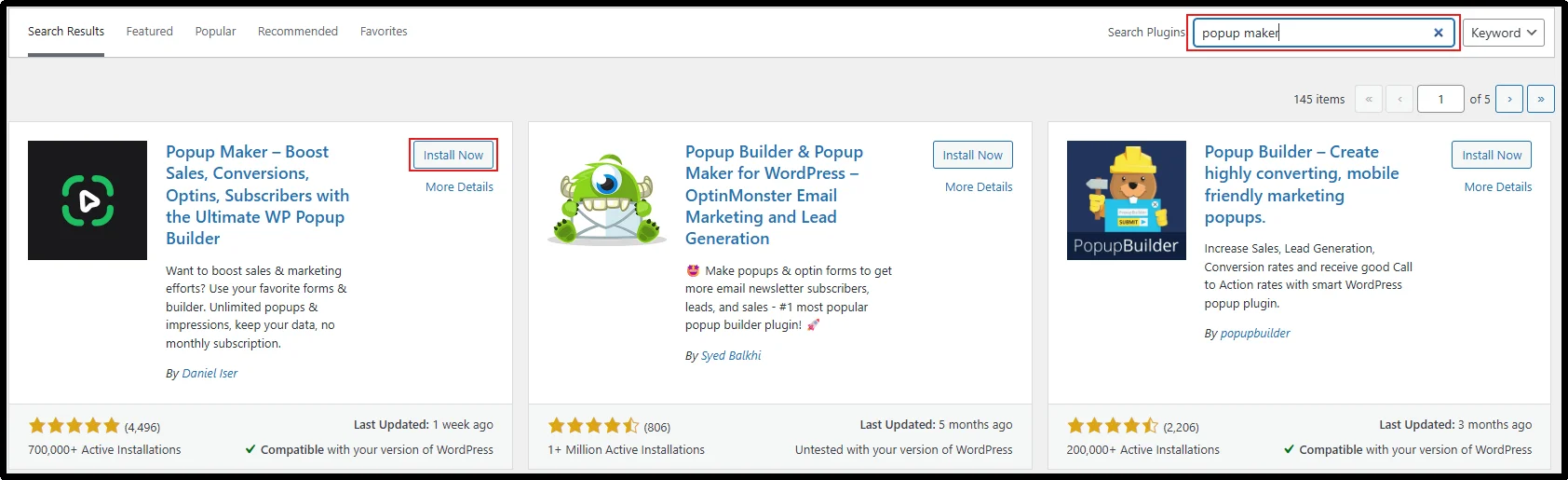
- Click Install Now, and once installed, click Activate.
Both plugins are ready to use. These plugins are among the most popular WordPress plugins for donation popups.
Step 2: Set Up a Donation Form
- Connect WP Easy Pay to your Square account to enable live payment processing.
- Create a donation form:
- Choose one-time or recurring donations
- Set a donation goal (optional)
- Add preset donation amounts for convenience
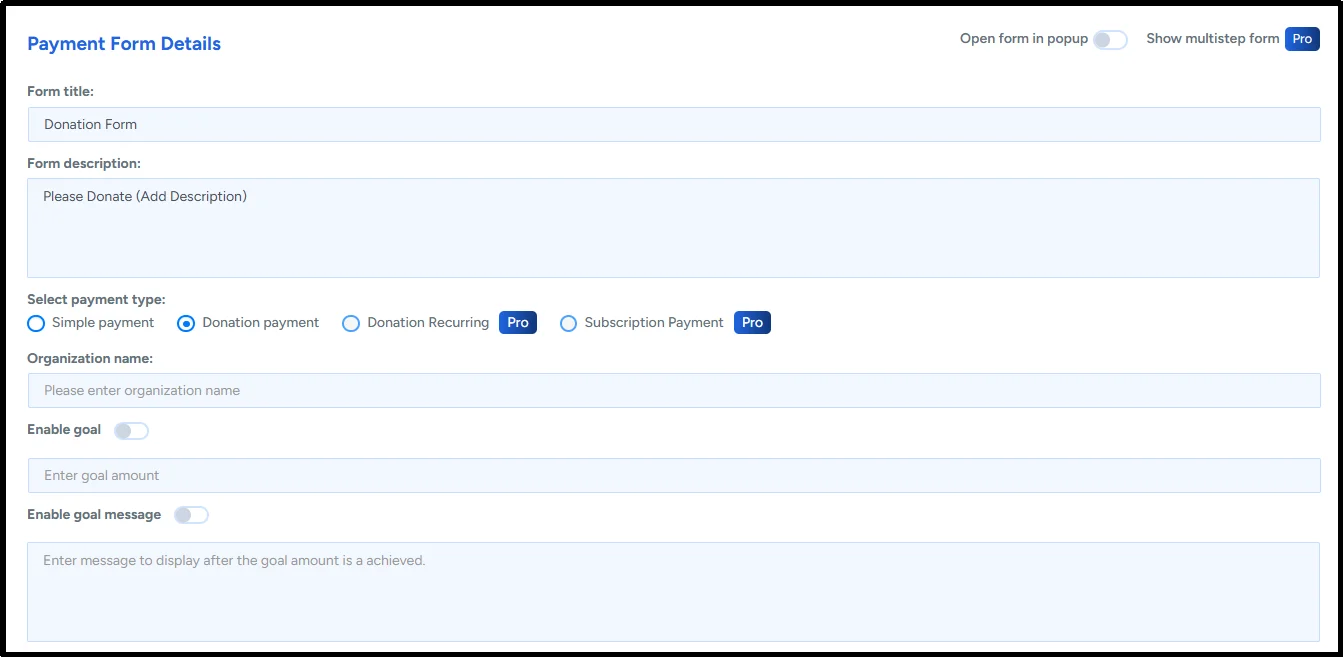
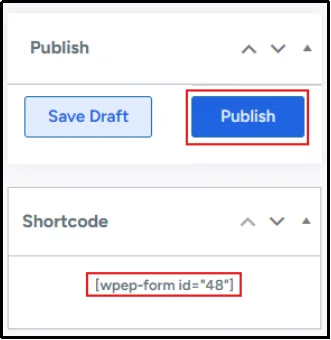
- Publish the form and copy the shortcode provided.
- Create a new WordPress page:
- Paste the shortcode or
- Use the block editor, select WP Easy Pay, and choose your form
- Publish the page to make your donation form page live.
- Copy the page URL to use later.
Need help?
Read the step-by-step guide on how to accept donations on your WordPress website.
If you want to set a monthly donation form, you can learn how to do it in our blog on creating a recurring donation form in WordPress.
Step 3: Add a Call to Action and Link with Donation Form
- Once your plugin is activated, go to Popup Maker → Call to Actions.
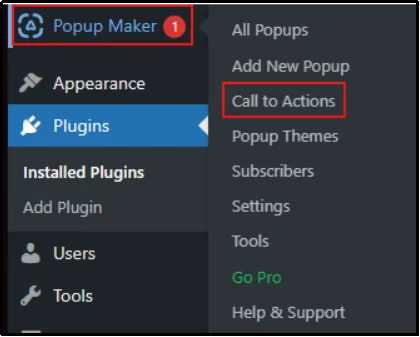
- Click on Add Call to Action.

- Enter a CTA name and description. Paste the donation form page link, press Enter, and save the Call to Action.
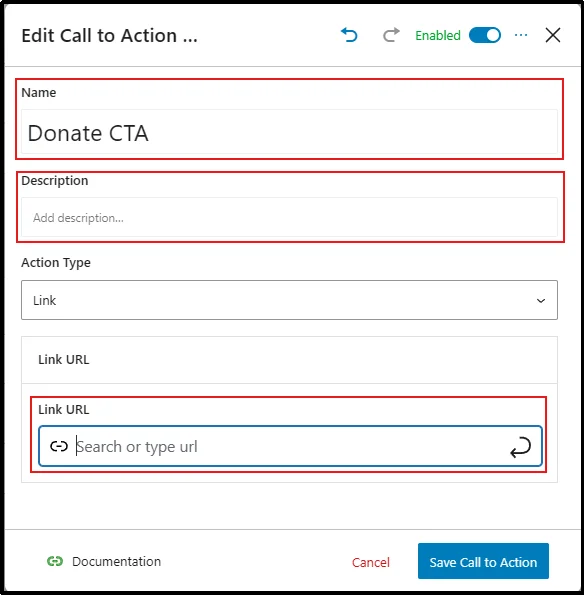
You have successfully added a Call to Action (CTA) to Popup Maker. This step forms the foundation for building donation popups in WordPress and improving overall donation conversion flow.
Now we have to integrate it into the pop-up. Follow the next step carefully.
Step 4: Create a Donation Popup
This is where your WordPress donation popups come to life. You can also experiment with recurring donation popup strategies to increase long-term revenue. These approaches are often featured in WordPress fundraising popup examples and used as inspiration for donation popup ideas for charity websites.
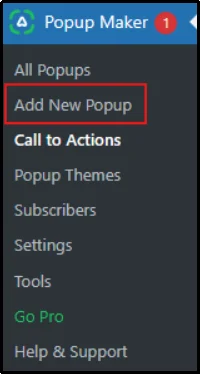
- In the WordPress sidebar, go to Popup Maker → Add New Popup
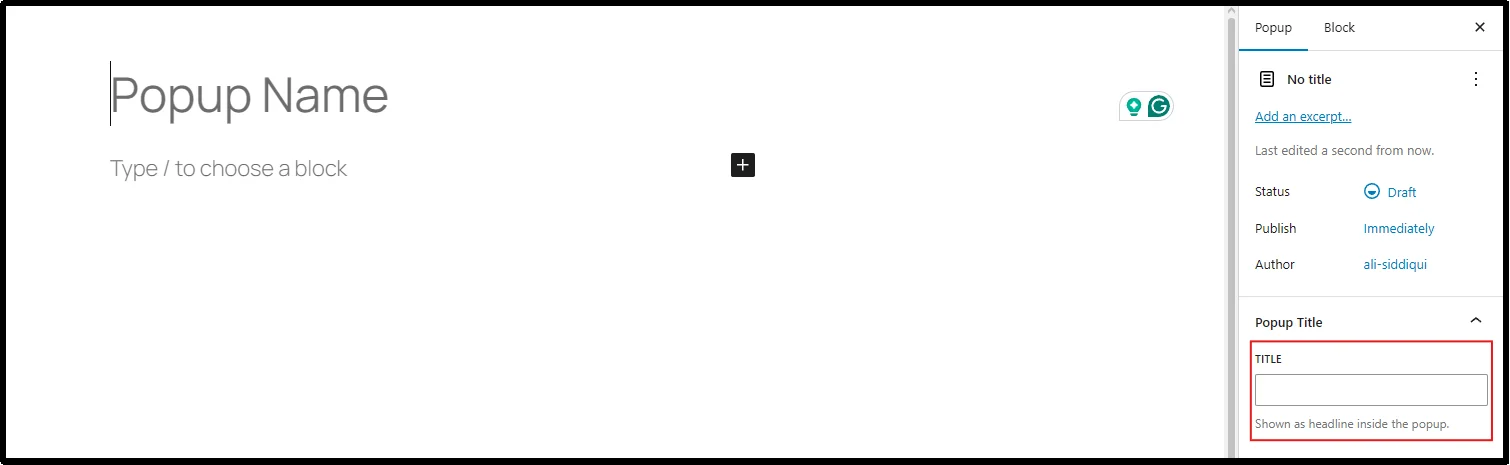
- Enter your Popup Name, its description content, and a Popup Title.
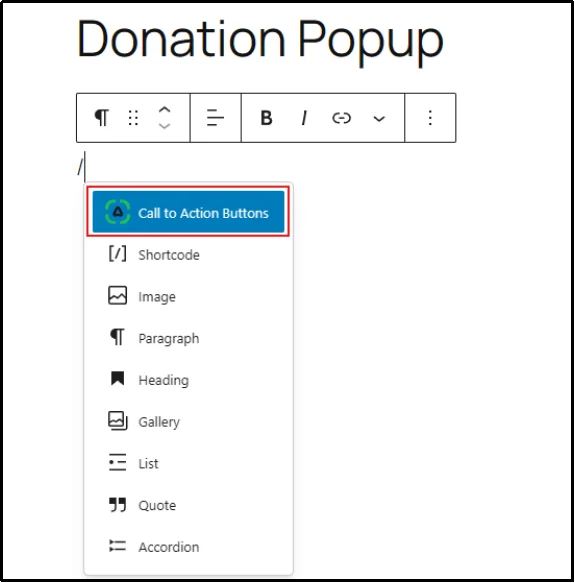
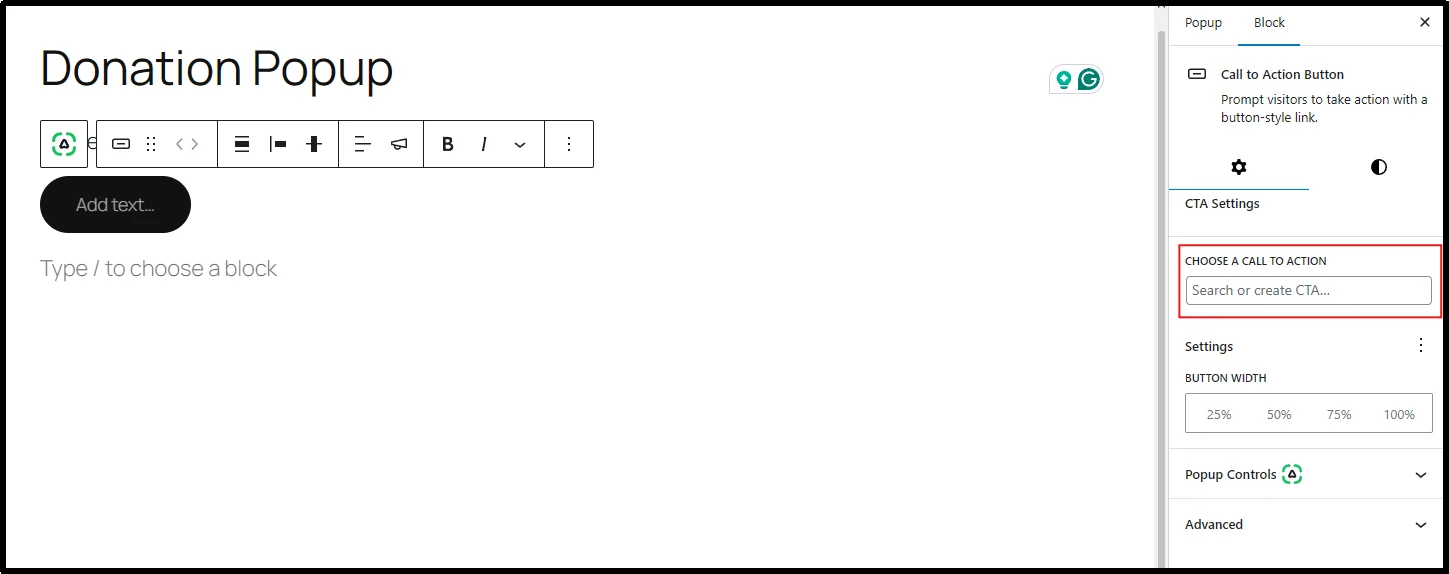
- Once these details are entered, in an empty block, type /call to action, and select the Popup Maker option.
- On the right sidebar, select the call to action you created earlier.
- Add your desired CTA button text.
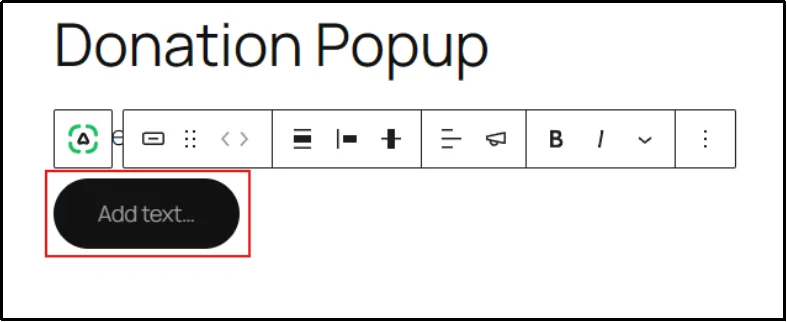
Your donation popup is almost complete. Before pressing publish, it should be configured properly.
Step 5: Configure and Publish the Donation Popup
- Scroll down and set trigger options by clicking on Add New trigger.

- A box will appear with Trigger settings. Choose the type of trigger you want and stop showing the popup setting, then click Add.
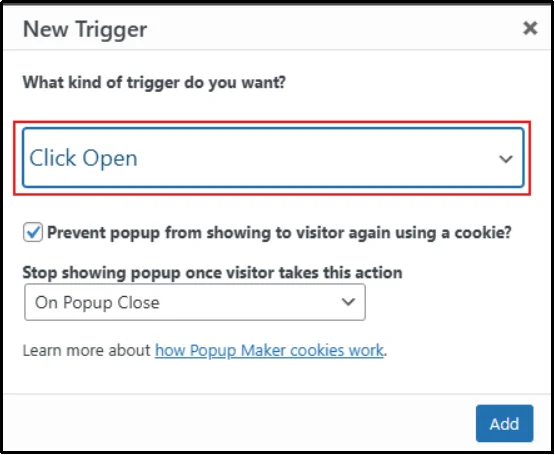
We suggest using Time Delay / Auto Open triggers for better engagement. This improves popup timing tips for donation pages and supports better donor engagement WordPress results.
You can also explore Exit Intent donation popup behavior for visitors about to leave.
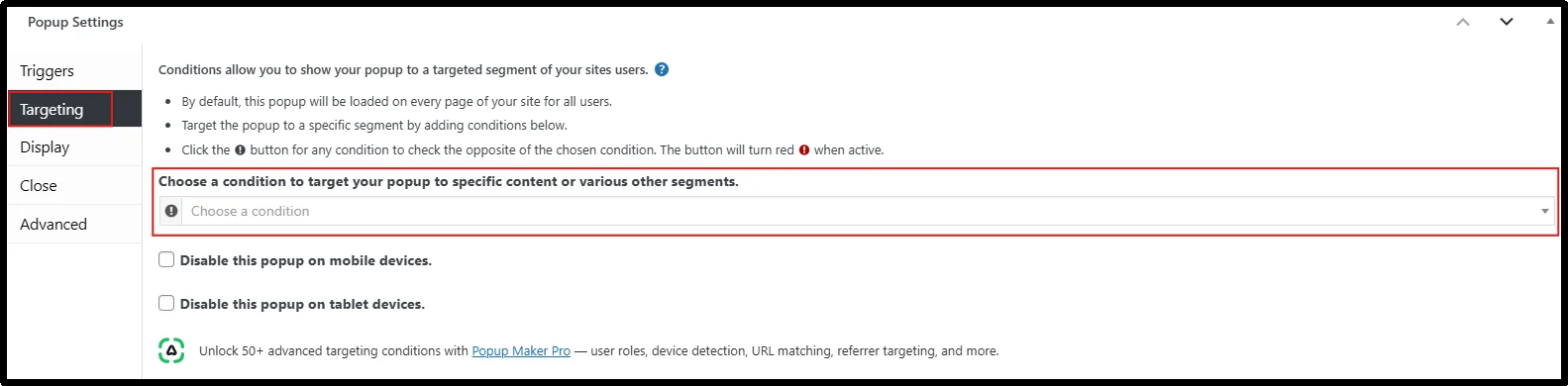
- Under the Targeting section, select a condition – any page or all page, etc.
- Once done, click on Publish.
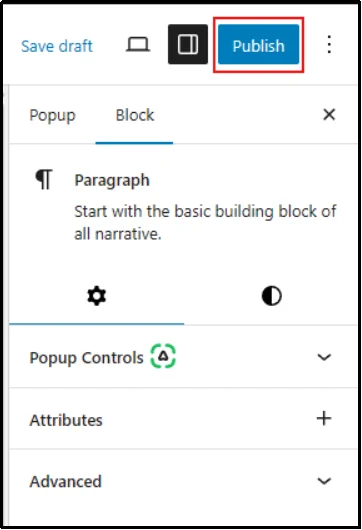
Congratulations! Your donation popup is successfully set.
You can customize the UI and all settings as per your preference, using Popup Maker’s extensive options.
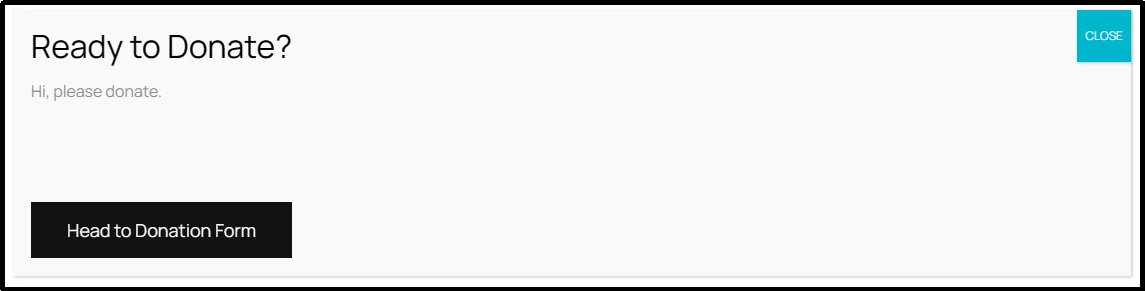
This is how a basic WordPress donation popup looks.
5 Best Popup Strategies to Boost Donations on WordPress
The best donation popup strategies for WordPress combine the right timing, message, and trigger. Here’s what actually works.
#1 Strategy: Use Exit-Intent Popups to Recover Leaving Visitors
An exit intent popup fires when a visitor’s cursor moves toward the top of the browser window. It is a signal that they’re about to leave. This popup type performs strongly in donation conversion optimization because it targets visitors at the exact moment they prepare to leave.
How exit intent popups increase donations:
- They recapture visitors who would have left without donating.
- The message can be as simple as: “Before you go, can you spare $10 to help us feed one child today?”, etc.
- Combining urgency with a low-friction donation request significantly increases conversion probability.
#2 Strategy: Boost Retention with Recurring Donation Requests
After a visitor makes a one-time donation, show a follow-up popup inviting them to turn it into a monthly contribution. This is one of the best ways to convert one-time donors into long-term supporters.
How recurring donation popups increase donations:
- They help nonprofits build predictable revenue by encouraging consistent monthly contributions.
- The message can be as simple as: “Make it $5/month and help us create impact all year round,” etc.
- Low commitment + long-term value = stronger donor retention.
#3 Strategy: Trigger Popups After Visitors Scroll Through Key Content
A scroll-based popup appears after a visitor has read a significant portion of the page, usually around 50–70% scroll depth. By this point, they are already engaged with your content and more likely to respond positively.
How scroll-based popups increase donations:
- They reach visitors after they’ve connected with your story, campaign, or mission.
- The message can be as simple as: “Inspired by this story? Support the cause with a small donation today,” etc.
- Higher engagement combined with behavior-based timing improves donation conversion rates.
#4 Strategy: Use Time-Based Popups to Nudge Hesitant Donors
If a visitor spends 30–45 seconds on your donation page without taking action, a time-based popup can gently encourage them to move forward.
How time-based popups increase donations:
- They target visitors who are interested but may be hesitating before completing the donation.
- The message can be as simple as: “Every contribution matters — complete your donation today,” etc.
- A timely reminder reduces hesitation and helps lower donation drop-off rates.
#5 Strategy: Highlight Urgent Campaigns with Homepage Popups
For urgent fundraising campaigns, displaying a popup as soon as visitors land on your homepage or campaign page can be highly effective.
How homepage popups increase donations:
- They immediately bring attention to limited-time campaigns, emergency appeals, or matching donation opportunities.
- The message can be as simple as: “Donate within the next 24 hours and your gift will be doubled,” etc.
- Immediate visibility combined with campaign urgency drives faster donation decisions.
Why Behavior-Based Popups Improve Donation Results
Nonprofits that use behavior-based donation popups, such as exit intent, scroll depth, or time-based triggers, often achieve higher donation completion rates compared to websites that rely only on static “Donate” buttons.
The key reason is timing. Instead of asking for donations immediately, behavior-based popups appear after a visitor shows interest or intent. This creates a more natural and persuasive donation journey.
Integrate Your Favorite Popup Plugin with WP Easy Pay
WP Easy Pay supports flexible integrations with any WordPress popup plugin on page load or a behavior-based trigger system. Once your donation form is ready, you can embed it into a popup using a shortcode or CTA block and control exactly when and where it appears. This flexibility allows you to create donation experiences that feel natural, timely, and aligned with your campaign goals.
By pairing WP Easy Pay with smart popup strategies, you can turn more visitors into donors without disrupting their browsing experience. Whether you’re running a short-term fundraiser or a long-term campaign, this setup helps you capture attention and guide everyone to contribute to a righteous cause.
FAQs
When should a donation popup appear on a nonprofit website?
Donation popups work best when shown at meaningful moments, such as after a visitor spends time on your page, scrolls through content, or shows exit intent. This ensures the popup feels helpful rather than intrusive.
How do I add a donation popup in WordPress without affecting user experience?
Use smart triggers like time delay, scroll depth, or exit intent instead of immediate popups. Also, keep the message simple, relevant, and avoid showing popups too frequently to the same user.
Should donation popups be shown on every page?
No, it’s better to limit popups to high-intent pages like campaign pages, blog posts about your cause, or the homepage. Showing them everywhere can reduce user experience and lead to annoyance.
What should a donation popup include to convert better?
A high-converting donation popup should include a clear message, a strong call-to-action (CTA), suggested donation amounts, and a simple path to the donation form. Adding urgency or emotional context can also improve conversions.
What is the best CTA for a donation popup?
The best CTA is short, clear, and action-driven. Examples include “Donate Now,” “Support Our Cause,” or “Give Today.” The CTA should match the urgency and tone of your campaign.