

Not every customer wants to make a recurring payment. Some prefer to pay once, while others are happy to support your business or organization with regular payments. Giving customers a choice lets you accommodate both preferences through the same payment form.
With Combined One-Time and Recurring Payments in WP Easy Pay Pro v6.10.0, you can let customers choose between one-time and recurring payments on the same form. You can also display these payment options using radio buttons, a toggle, or an opt-in checkbox.
You can also customize the recurring payment label, set the default opt-in state, edit the recurring payment notice, and choose whether to display that notice.
What’s New in WP Easy Pay Pro v6.10.0?
The latest Pro release introduces a new payment type that combines one-time and recurring payment options in a single form.
Instead of requiring customers to use separate forms for these payment choices, you can let them select their preferred payment method directly on the form.
The update includes three ways to display the choice:
- Radio Buttons: Let customers select either a one-time or recurring payment option.
- Toggle: Display both payment options in a switch-style selector.
- Opt-In Checkbox: Let customers enable recurring payments by checking a box.
You can also customize the recurring payment label, choose whether recurring payments are selected by default, configure the recurring payment notice, and hide the notice when needed.
1) Offer One-Time and Recurring Payments Through One Form
The new Combined One-Time and Recurring Payment type lets you present both payment options within the same WP Easy Pay form.
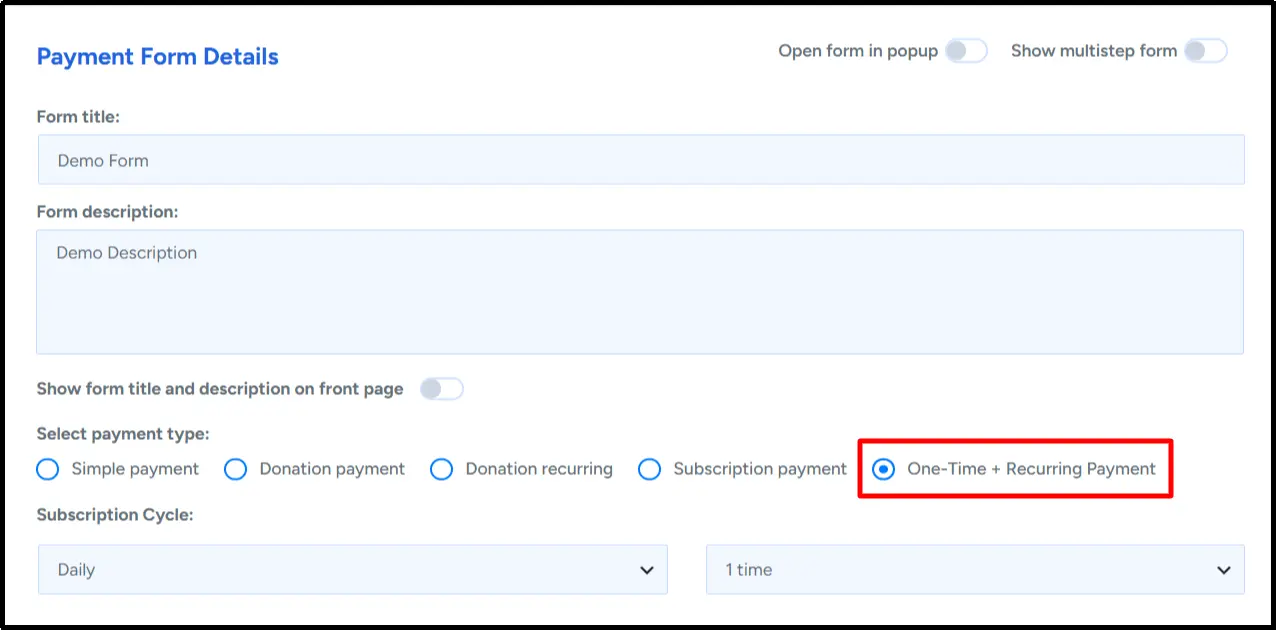
When configuring your form, select One-Time + Recurring Payment as the payment type. Then configure how the form displays the customer’s payment choice.
This gives customers a clear way to select a one-time payment or opt into recurring payments without switching between separate forms.
2. Choose How Customers Select Their Payment Type
Different forms call for different interfaces. WP Easy Pay Pro lets you choose from three display styles for the new payment type.
Display Payment Options With Radio Buttons
Radio buttons display one-time and recurring payments as two separate options. Customers can select their preferred option, i.e., one-time or recurring, before completing payment.
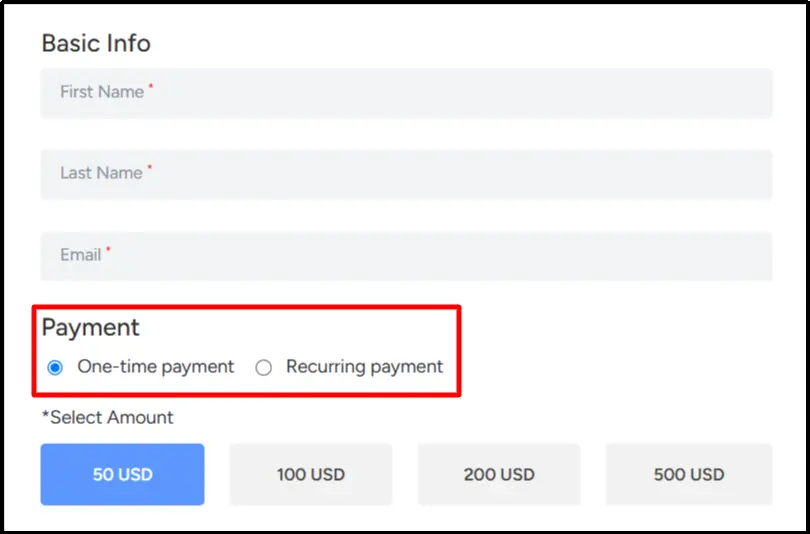
This layout works well when you want both choices to remain visible on the form.
Use a Toggle to Switch Between Payment Options
The toggle layout presents one-time and recurring payments as two sides of a single selector. Customers can switch between them by selecting their preferred option.
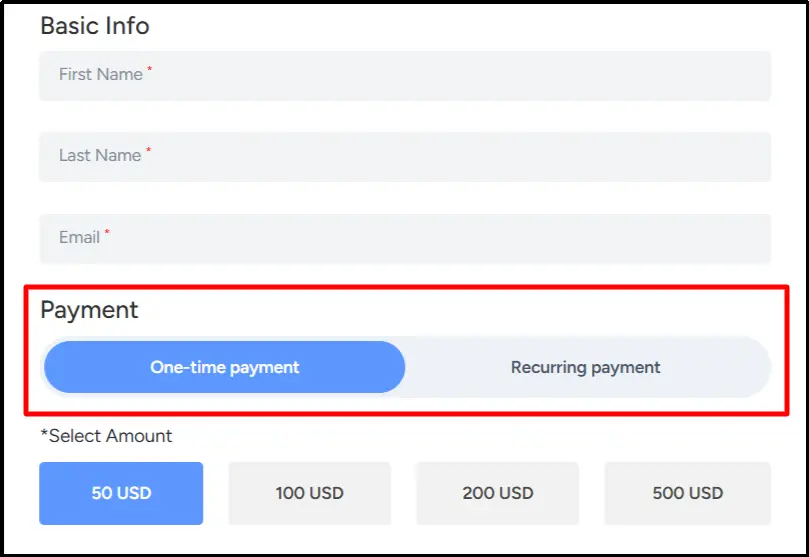
This keeps the payment form compact while keeping both choices visible.
Let Customers Opt Into Recurring Payments With a Checkbox
The opt-in checkbox provides another way to offer recurring payments. Customers can check the box to choose recurring payments or leave it unchecked for a one-time payment.
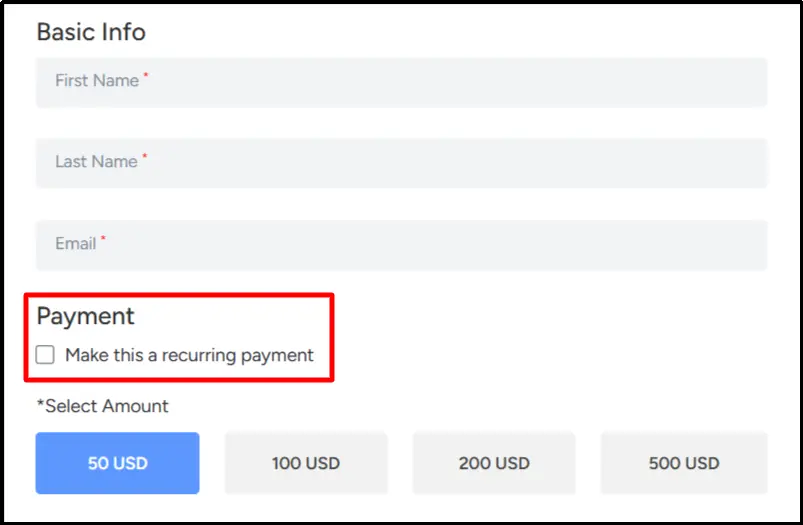
You can customize the checkbox label to explain the recurring payment option in language that suits your form.
3. Customize the Recurring Payment Experience
WP Easy Pay Pro v6.10.0 also introduces additional settings that let you control how the recurring payment option appears to customers.
Set a Custom Payment Option Label
The One-time payment label and Recurring payment label settings let you change the text customers see for the one-time and recurring payment options.
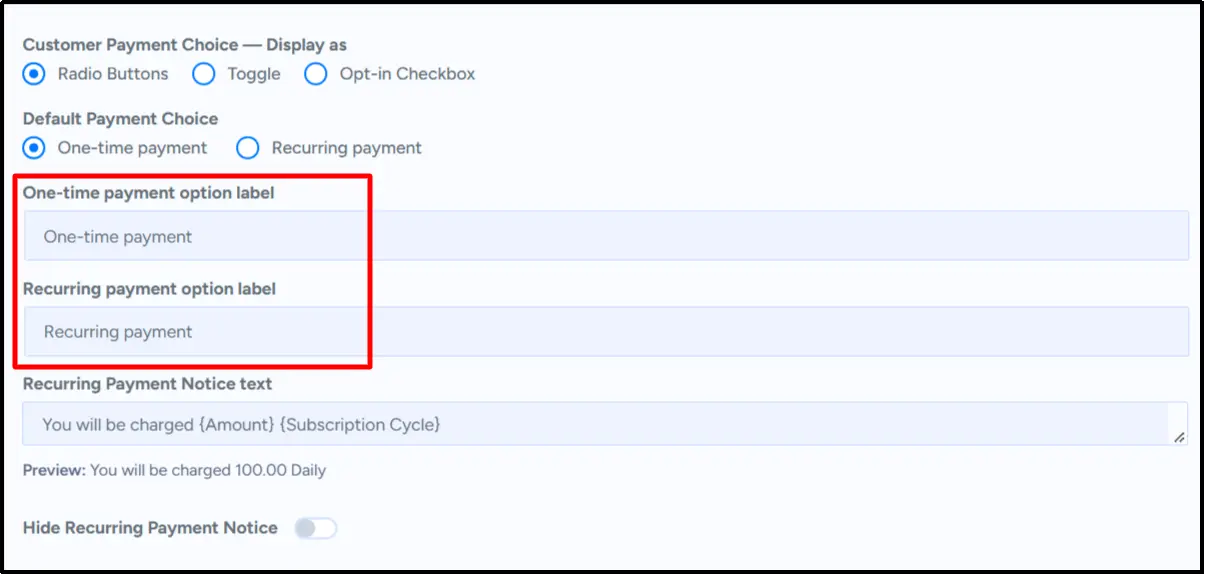
You can use wording that fits your payment form and makes the available choice clear.
Choose Which Payment Choice is Selected by Default
The Opt-In Selected by Default setting lets you control the payment choice’s initial state.
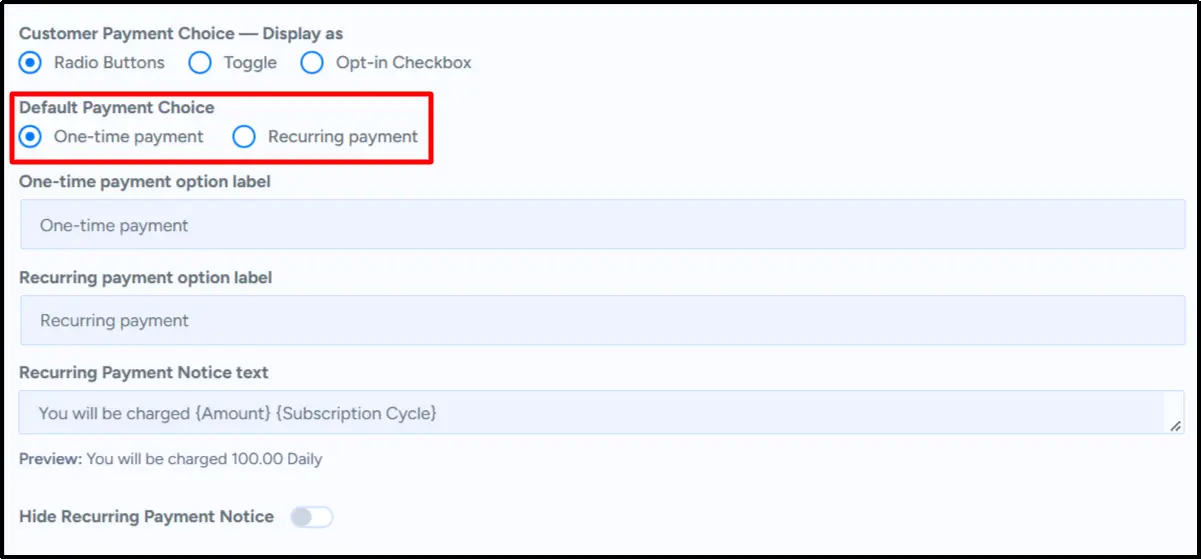
Configure this setting to determine whether the one-time payment or recurring payment option is selected. Choose the state that fits your intended customer experience.
Customize the Recurring Payment Notice
You can edit the Recurring Payment Notice Text to explain the charge amount and subscription cycle to customers.
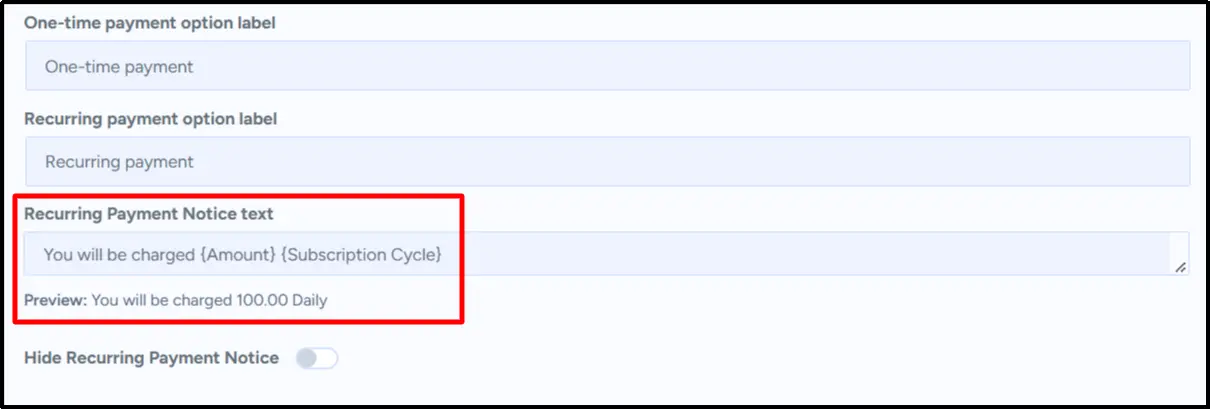
The default notice uses placeholders for the amount and subscription cycle. For example, the form can display a message such as “You will be charged 100.00 Daily.”
This gives customers information about the recurring charge directly on the payment form.
Hide the Recurring Payment Notice When Needed
The Hide Recurring Payment Notice setting lets you control whether the recurring payment notice appears on the form.
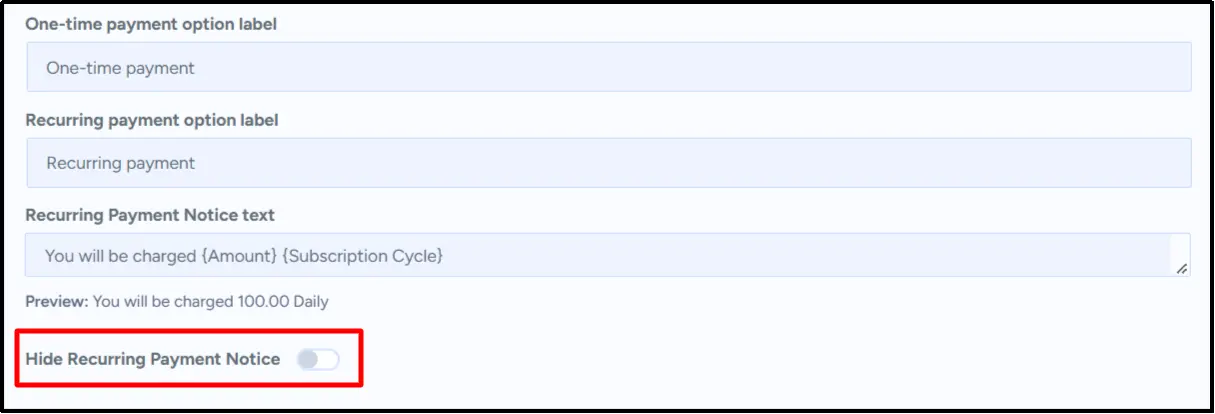
Use this option when you don’t want to display the notice alongside the recurring payment choice.
Give Customers More Flexibility With WP Easy Pay Pro
WP Easy Pay Pro v6.10.0 introduces a straightforward way to offer one-time and recurring payments through the same form. Choose radio buttons, a toggle, or an opt-in checkbox, then customize the labels and recurring payment notice to fit your needs.
Whether your form collects a one-time payment or lets customers pay regularly, you can configure the payment choice to match your workflow.
Ready to try the new feature?
Get WP Easy Pay Pro and use the Combined One-Time and Recurring Payment Type to give customers a choice directly on your payment forms.
Need help setting up the new payment type? Visit our documentation or contact our support team for assistance.