



You build payment forms. You accept donations. You process subscriptions. But what happens when your Square connection drops?
You lose sales, miss donations, and worse, your customers feel frustrated.
We fixed that problem today.
WP EasyPay Free v4.3.0 and Pro v6.7.0 bring two game-changing updates that protect your revenue and speed up your workflow.
Curious? Let’s break down what’s new.
What’s New in WP EasyPay 4.3.0 & Pro 6.7.0?
We focused on two critical areas:
- Square Connection Logs and Alerts: Monitor connection status and get instant notifications
- Complete UI Redesign: Navigate faster with a modern, streamlined interface
These updates transform how you manage Square payments inside WordPress.
Update #1: Square Connection Logs and Alerts
Your Square connection works until it doesn’t.
OAuth tokens expire. API credentials change. Network issues happen. You had no way to know when the connection broke until customers complained about failed payments.
That ends now.
We built a complete logging and alerting system that watches your Square connection 24/7.
- Detailed Connection Logs
Every connection attempt gets recorded. You see:
- Square Mode (Test or Live)
- Date & Time of each attempt
- Request Body details
- Return Response from Square
- Connection Status (Success or Failure)
- Form ID that triggered the connection
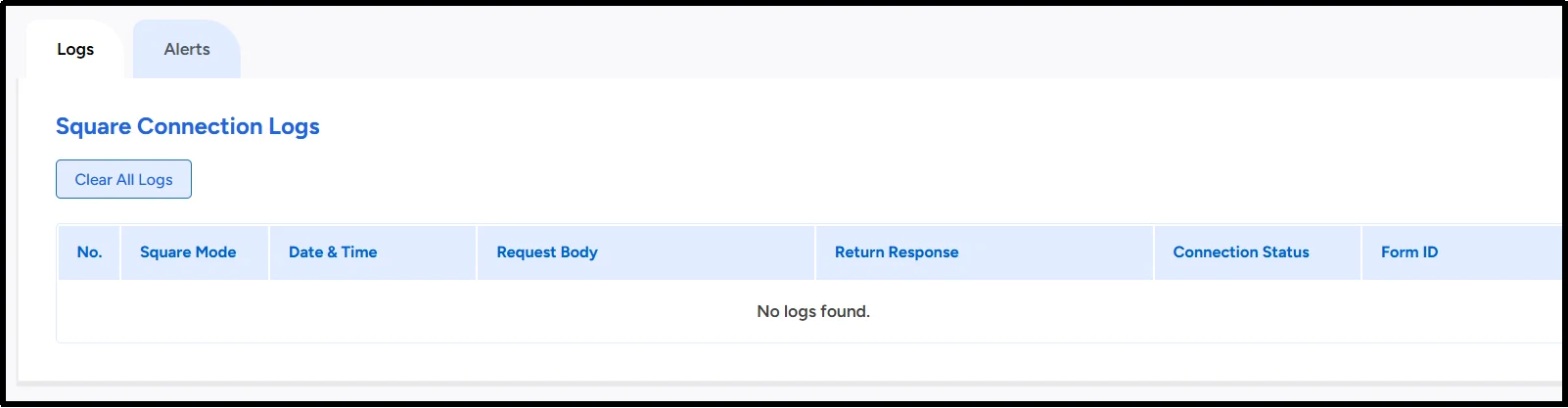
The logs table shows everything at a glance. No more guessing. No more digging through server files.
- Clear All Logs Button
Your logs grow over time. We added a one-click “Clear All Logs” button so you can clean up whenever you want.
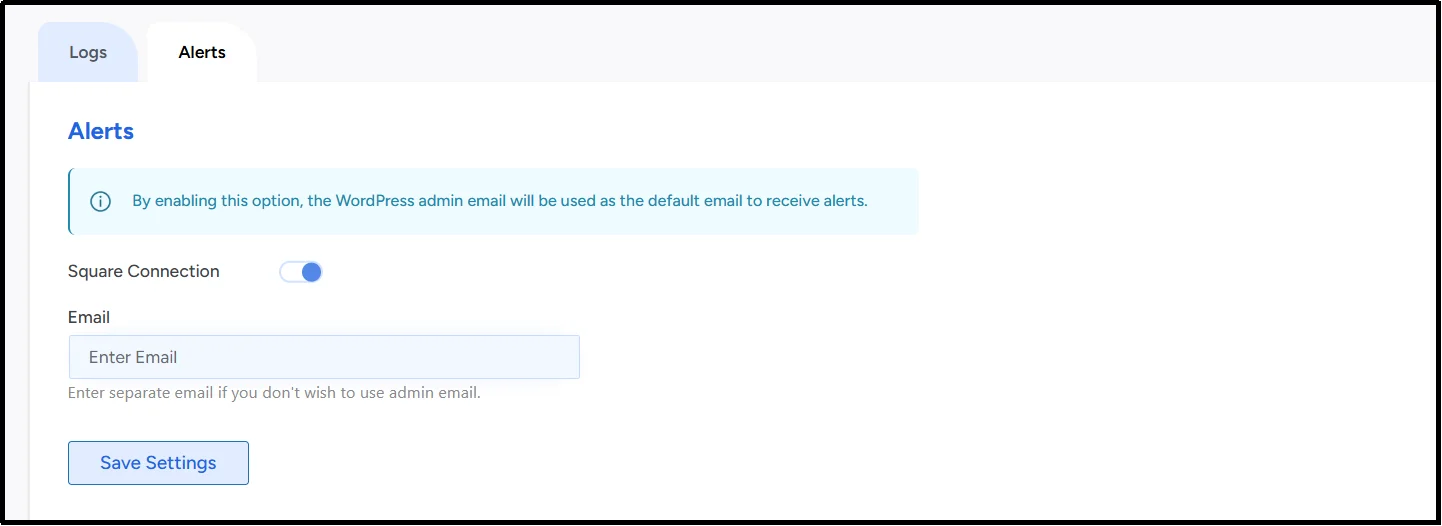
- Email Alerts That Save Revenue
Enable alerts, and you get instant email notifications when the connection fails.
The system sends alerts to your WordPress admin email by default. You can also enter a separate email address if you prefer.
You get warned before you lose a single payment. Reconnect your Square account. Keep processing payments. Stay profitable.
Update #2: Complete UI Redesign for Better User Experience
The old interface worked, but it felt slow.
You clicked too many times. You scrolled too much. You wasted time finding what you needed.
We rebuilt every screen from the ground up.
- Faster Navigation
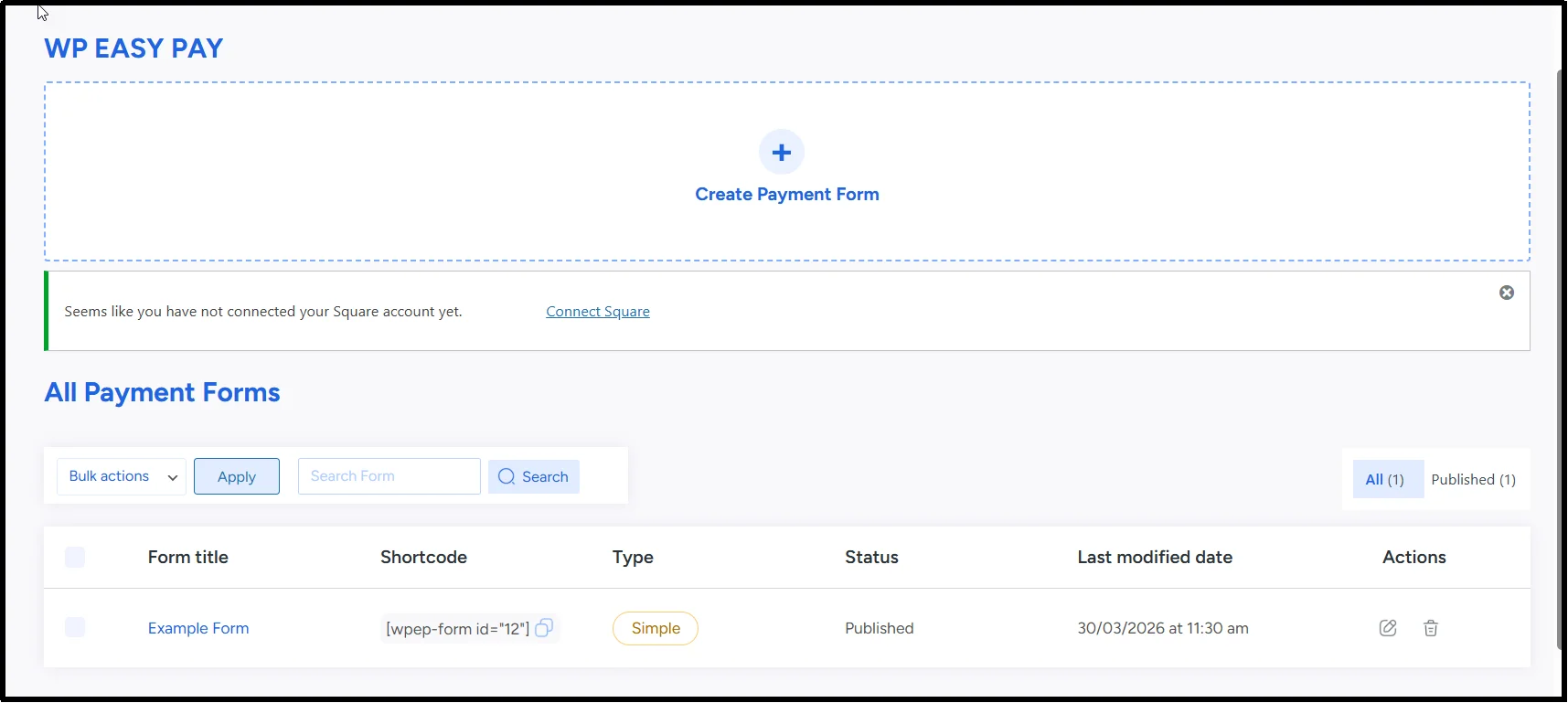
We reorganized menus and settings for logical workflow. You find options faster. You configure forms more quickly. You launch payments sooner.
- Cleaner Design
We removed visual clutter. We added white space. We used consistent colors and clear labels. The interface breathes now. Your eye goes straight to what matters.
- Streamlined Forms Workflow
Creating payment forms feels effortless. The form builder loads faster. The drag-and-drop fields respond instantly. The settings panels open without delay.
- Modern Look and Feel
WP EasyPay looks like a premium tool now. The updated design matches modern WordPress standards. The buttons feel responsive. The tables load smoothly.
Who Benefits From This Update?
- E-commerce stores – Catch connection issues before you lose sales
- Nonprofits – Never miss a donation due to a broken connection
- Membership sites – Keep recurring payments running without interruption
- Service businesses – Accept bookings and payments with confidence
Try It Now and Share Your Thoughts
Log in to your WordPress site. Update WP EasyPay. Check the new ‘Square Logs’ feature and explore the redesigned interface.
Then tell us what you think. Reach out through our support channel with feedback or feature requests.
Let’s build the best Square payment solution for WordPress together.
Thank you for trusting WP EasyPay with your payments.