

WP EasyPay now fits more naturally into how you build and protect your WordPress site.
In this release, we focused on two things that matter most when you collect payments online.
Flexibility in design and stronger protection against spam.
You can now add payment forms directly inside your favorite page builders and secure them with more modern, privacy-friendly CAPTCHA options.
Previously, we had native block support for the WordPress block editor (formerly Gutenberg Editor), and we have now introduced two new page builders.
Let’s break down what’s new and why it matters.
Update 1: Build Payment Forms Directly Inside Elementor
If you use Elementor, you no longer need workarounds or shortcodes to place your payment forms.
WP EasyPay now includes a dedicated Elementor widget that lets you drop your form exactly where you want it.
You can:
- Place forms inside any section or layout
- Control spacing and positioning visually
- Keep your design workflow smooth and uninterrupted
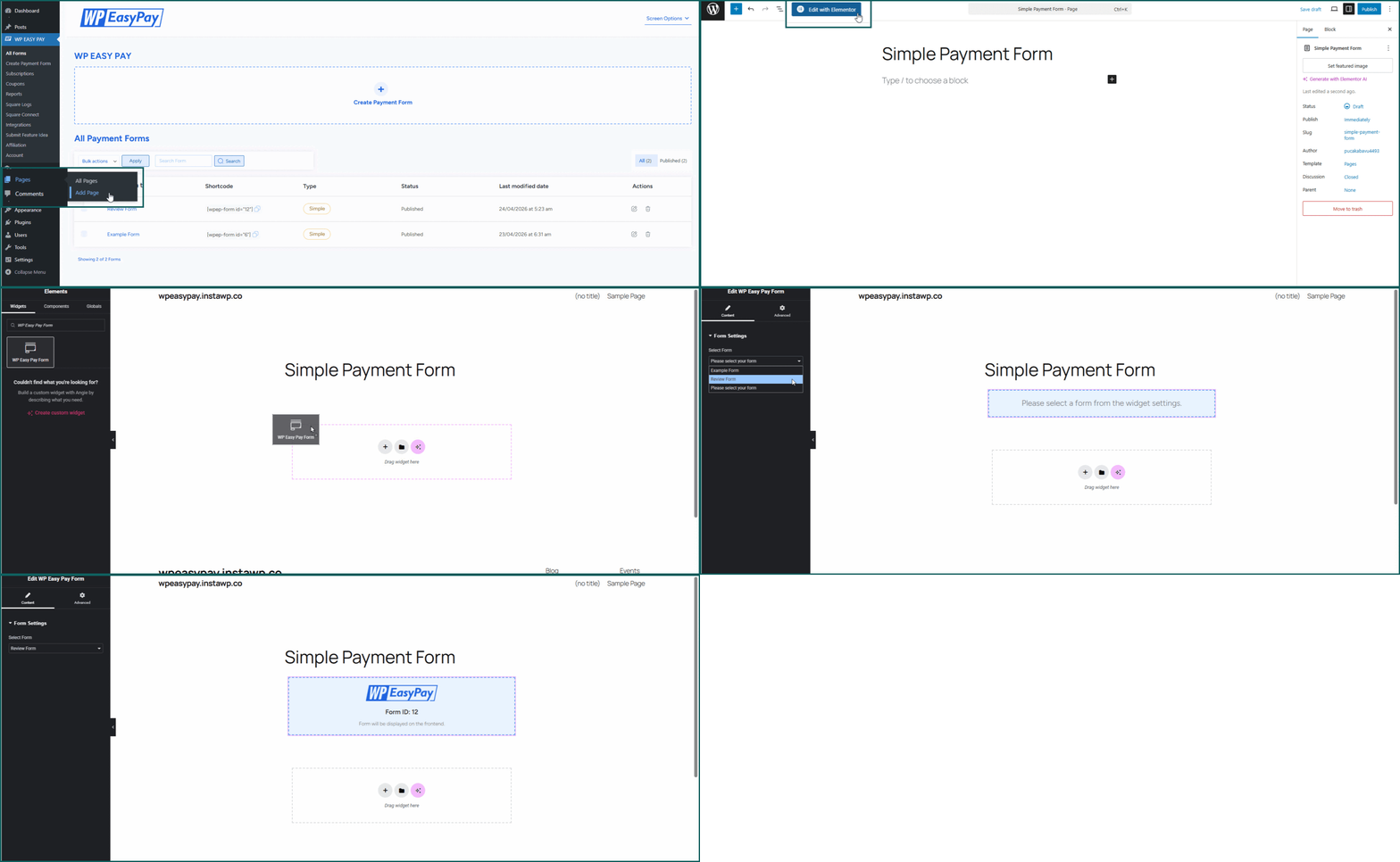
This makes a real difference when you design landing pages, donation sections, or service payment pages. You stay inside Elementor and build everything in one place.
You can explore the full setup here: How to Add WP EasyPay Forms to Elementor.
Update 2: Add Forms Seamlessly in Beaver Builder
For Beaver Builder users, we added a native WP EasyPay module.
Just like Elementor, you can now insert payment forms directly into your layouts without switching contexts or relying on manual embedding.
This gives you:
- Full layout control inside Beaver Builder
- Faster page creation
- A cleaner workflow when building client sites
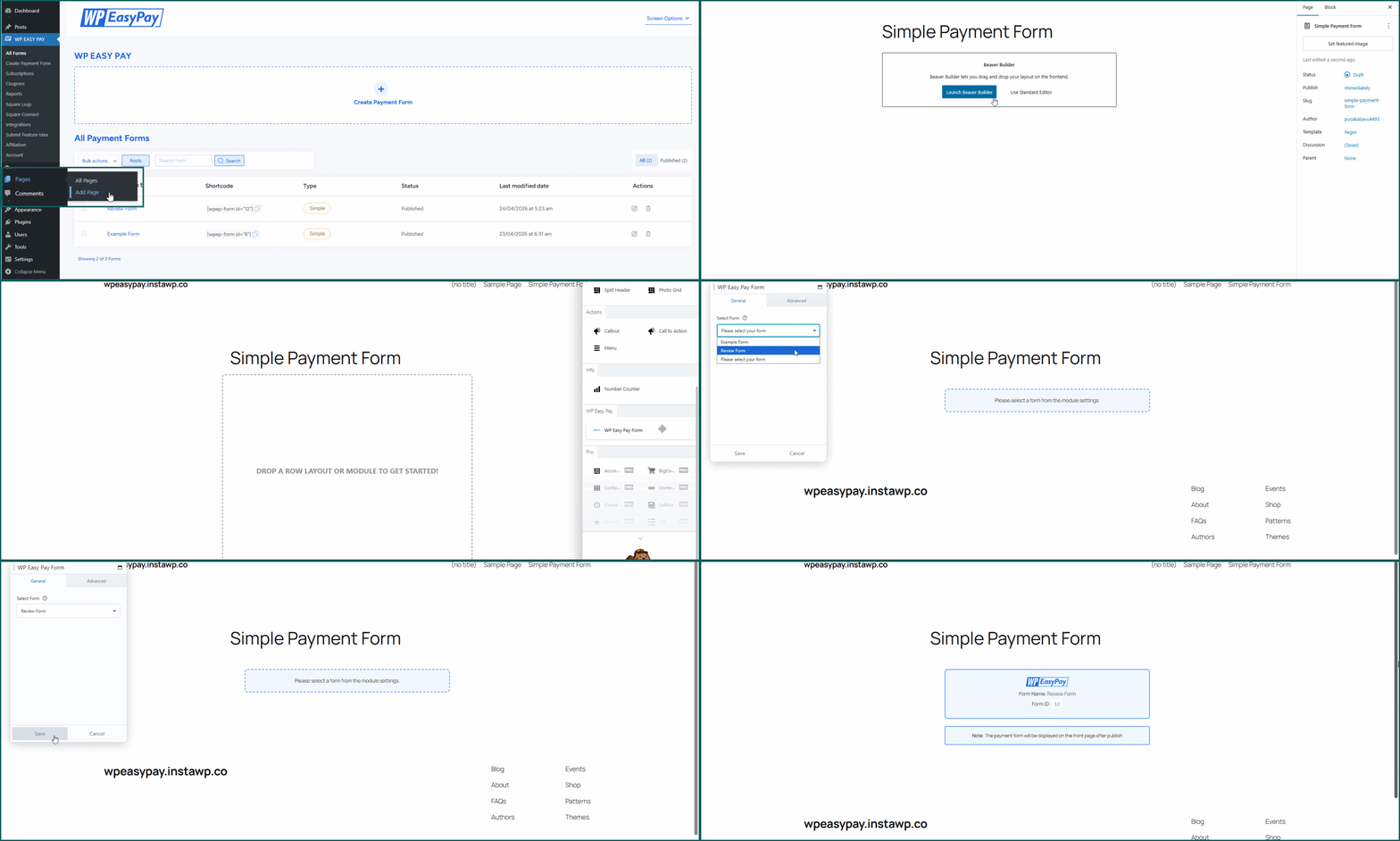
If you build pages visually, this integration removes friction and saves time.
To learn how it works, check out the detailed documentation, How to Add WP EasyPay Forms in Beaver Builder.
Update 3: More CAPTCHA Options (hCaptcha and Cloudflare Turnstile)
Security plays a critical role in any payment flow. Until now, WP EasyPay has supported Google reCAPTCHA. That worked well, but many users wanted more flexibility.
Now, you can choose from three CAPTCHA providers:
- Google reCAPTCHA: Widely used CAPTCHA that protects your forms from spam.
- hCaptcha: Privacy-focused CAPTCHA that blocks bots while respecting user data.
- Cloudflare Turnstile: Frictionless, invisible CAPTCHA that verifies users without disrupting the experience.
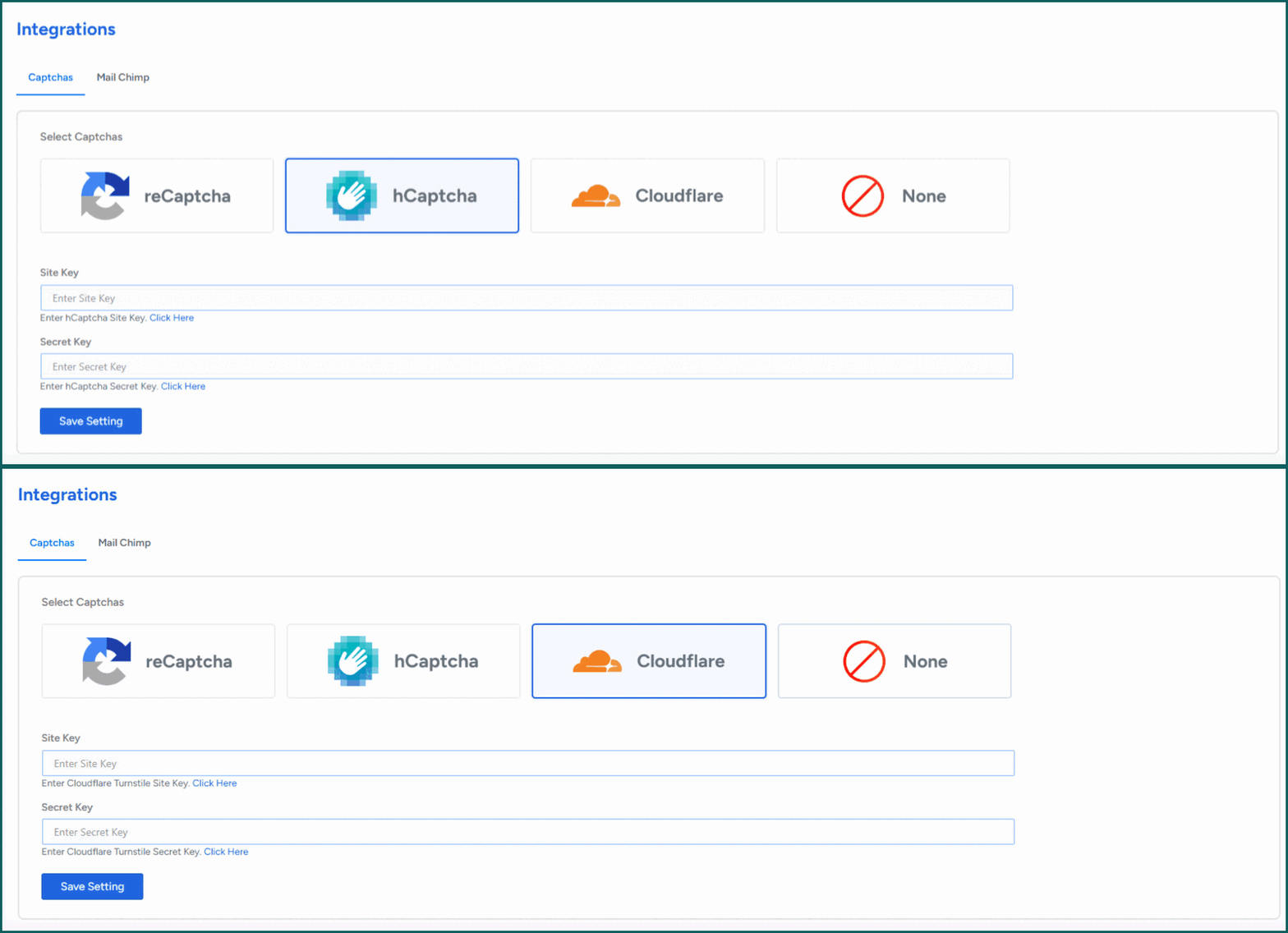
This gives you control over both security and user experience.
Why This Update Matters
This release improves two critical parts of your workflow:
- How you build pages: You can now design and place payment forms directly inside Elementor and Beaver Builder without friction.
- How you protect your forms: You get more control over spam protection with modern CAPTCHA options that balance security and user experience.
Together, these updates help you create faster, cleaner, and more reliable payment experiences inside WordPress.
Try the New Features Today
Update WP EasyPay directly from your WordPress dashboard and start using the new integrations right away.
If you already use Elementor or Beaver Builder, you will notice an immediate improvement in how easily you can add payment forms. And if security and user experience matter to you, these new CAPTCHA options give you the flexibility you were missing.
hCaptcha and Cloudflare Turnstile are available in the Pro version. If you’re using the free version, you can upgrade anytime and currently get up to 80% off on lifetime plans.
See What’s Coming Next
This is just the beginning.
We’re actively expanding WP EasyPay with more integrations, better performance, and smarter form-building capabilities to make payments even easier inside WordPress. You can explore our roadmap to see what’s coming next. Have an idea or feature request? Share it on our official ideas board. We’d love to hear from you.